
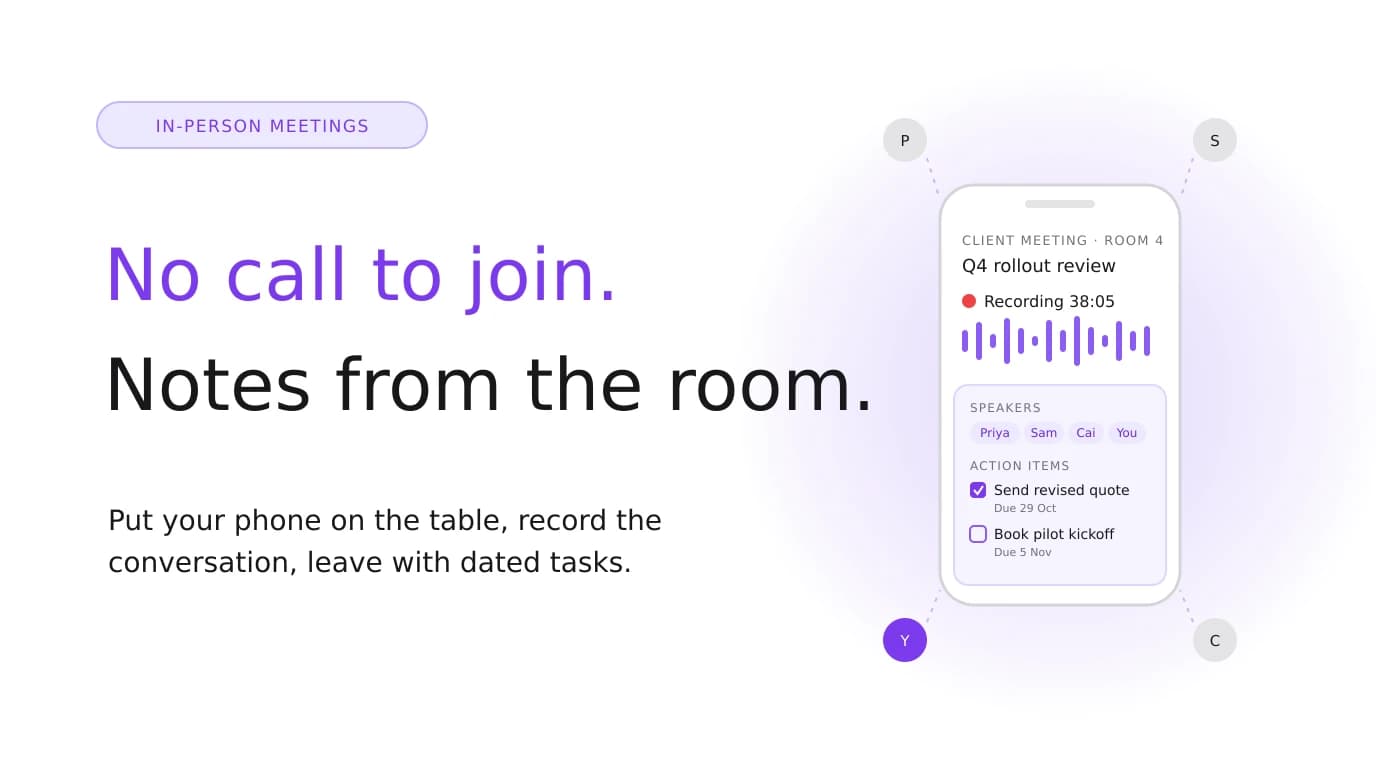

Most of my important meetings don't happen on Zoom. They happen in a client's meeting room, over coffee, or standing next to a whiteboard. That's exactly where most AI note takers stop working, because they were built around a bot joining a video call.
This guide covers the tools that work when everyone's in the same room: phone apps, dedicated recorders, and the free option that's probably already on your phone.
Quick answer: For a free option, use your phone's built-in recorder with AI summaries (Apple Notes on supported iPhones). For a dedicated device that clips to your shirt or sticks to your phone, choose Plaud. For a phone app that turns in-person meetings into dated tasks, try Jottoo. If your team already uses Otter, Fireflies or Granola for calls, their phone apps cover in-person meetings too.
Disclosure: Jottoo is our product. We've said where other tools are the better choice. Prices are from each vendor's site or help centre in October 2026 and change often, so check before you buy.
Why In-Person Meetings Are Different
Three things make in-person meetings harder for AI note takers than video calls.
- There's no call to join. A meeting bot needs a Zoom, Teams or Meet link. Without one, it has nothing to record. You need something in the room.
- The audio is messier. People talk over each other, sit at different distances, and turn away from the microphone. A video call gives every speaker their own clean audio channel. A room doesn't.
- Speaker labels are harder. With everyone on one microphone, the tool has to work out who's talking from the voices alone. Expect "Speaker 1" and "Speaker 2" that you'll need to name.
Three Ways to Capture an In-Person Meeting
| Method | Examples | Good for | Watch out for |
|---|---|---|---|
| Phone app | Jottoo, Otter, Fireflies, Granola, Jamie | Most meetings; you already carry the device | Phone placement; battery on long days |
| Dedicated recorder | Plaud Note, NotePin | All-day use, interviews, recording phone calls on some models | Another device to buy, charge and carry; usually a subscription for AI features |
| Built-in phone features | Apple Notes recording with Apple Intelligence summaries | Occasional meetings at no extra cost | Summaries only; no task tracking; limited to supported devices |
At a Glance
| Tool | How it captures in person | Also covers video calls | Free option | Paid from |
|---|---|---|---|---|
| Jottoo | Phone or browser recording, or upload audio | Yes, bot-free from your device | 7-day trial, no card | $13.99/month, one plan |
| Plaud | Dedicated recorder (Note, NotePin) plus app | Records calls on some devices | Starter, 300 min/month (device required) | Device from $159; Pro $17.99/month |
| Otter | iPhone and Android app | Yes, joins as a bot | Basic, 300 min/month, 30 min per conversation | Pro $16.99 monthly or $8.33 annually |
| Fireflies | iPhone and Android app | Yes, bot or Chrome extension | Free plan, 2-hour recording limit | Pro about $18 monthly or $10 annually |
| Granola | iPhone and Android app | Yes, bot-free on desktop | Basic, 30 days of history | Business $14 |
| Jamie | Desktop and mobile, device audio | Yes, bot-free | 10 notes/month, 30-minute cap | Plus €21 |
| Krisp | Lists in-person notes on Core | Yes, bot-free or bot | 7-day trial | Core $16 monthly or $8 annually |
| Apple Notes | Built-in recording, transcript and summary | Phone calls via the Phone app | Free on supported iPhones | n/a |
The Tools in Detail
1. Jottoo: in-person meetings that end as dated tasks
Jottoo records from your phone or browser, takes an uploaded recording, or works from notes you type. There's no bot, so the same app covers a client's meeting room, a phone call and a Zoom call from your laptop. Each recording is transcribed with speakers separated, then summarised into an overview, key points, risks and action items. The action items become tasks with deadlines on your Today view and in Tasks, with reminders when they're due.
- Best for: consultants, sales reps and solo professionals who meet clients in person and need each meeting to end as a plan.
- Pricing: one plan at $13.99 USD a month, after a 7-day free trial with no card.
- Privacy: note content is encrypted on your device before it syncs. Audio goes to AssemblyAI for transcription and selected content to OpenAI for summaries, and neither trains on it (details).
- Trade-offs: no free plan, no team workspaces and no CRM integrations yet. Transcription needs a connection: in a basement meeting room with no signal, the recording is saved on your device and processed once you're back online, so the notes arrive later. Calendar sync is on the roadmap, not shipped.
2. Plaud: a dedicated AI recorder
Plaud makes small recorders: the Plaud Note, a card-sized device that attaches to the back of your phone, and the NotePin, which you can clip on or wear. You record on the device, and the Plaud app transcribes and summarises.
- Best for: people who record all day (interviews, field work, back-to-back meetings), or who want a recorder separate from their phone.
- Pricing: devices start at $159 in the US. The Starter plan includes 300 transcription minutes a month, Pro is $17.99 a month with 1,200 minutes, and Unlimited is $29.99 a month.
- Trade-offs: it's one more device to charge and carry, and you're paying for hardware plus a subscription for anything beyond the starter minutes.
3. Otter: the familiar choice with a capable phone app
Otter's iPhone and Android apps record in-person meetings with one tap, can record through AirPods, and let you add photos of slides or the whiteboard to the transcript. On video calls, Otter joins as a bot.
- Best for: people and teams already using Otter for calls who want one tool for both.
- Pricing: Basic is free with 300 minutes a month and a 30-minute limit per conversation. Pro is $16.99 a month, or $8.33 billed annually.
- Trade-offs: the free plan's 30-minute cap is too short for most in-person meetings. See our Otter.ai alternatives for more.
4. Fireflies: team transcription with a mobile app
The Fireflies mobile app records in-person meetings and voice notes and syncs them to the same workspace as your recorded calls, so a team's in-person and online meetings live in one place.
- Best for: teams already on Fireflies who want in-person meetings in the same searchable archive.
- Pricing: there's a free plan, with recordings limited to 2 hours on the mobile app. Pro is about $18 a month, or $10 billed annually (Fireflies pricing).
- Trade-offs: the free plan's storage limit means older recordings roll off. It's built for teams, so it's more than a solo user needs.
5. Granola: in-person notes on your phone, bot-free calls on desktop
Granola's iPhone and Android apps capture in-person meetings and phone calls, with speaker identification, and syncs with the desktop app you use for video calls. Granola recommends putting the phone in the middle of the table and starting before the meeting begins.
- Best for: people who already use Granola's notepad on desktop and want the same notes for in-person meetings.
- Pricing: Basic is free with 30 days of history. Business is $14 per user per month.
- Trade-offs: iOS doesn't let apps capture audio from other apps, so the iPhone app can't transcribe a Zoom call on the same phone. Use the desktop app for those.
6. Jamie: in-person meetings on every plan
Jamie records on your device rather than with a bot, and its pricing page lists in-person meetings on every plan, including the free one.
- Best for: European users, and anyone who wants to try bot-free in-person notes before paying.
- Pricing: the free plan includes 10 AI notes a month with a 30-minute limit per meeting. Plus is €21 a month and Pro is €39 a month billed annually.
- Trade-offs: the free plan's 30-minute cap rules out longer meetings.
7. Krisp: in-person notes with noise cancellation
Krisp is best known for noise cancellation on calls. Its Core plan also lists in-person meeting notes and an outbound call recorder.
- Best for: people who take a lot of calls from noisy places and occasionally record in person.
- Pricing: a 7-day trial, then Core at $16 a month, or $8 billed annually.
- Trade-offs: it's strongest as a desktop call tool. In-person meetings are an add-on to that, not the main focus.
8. Apple Notes: the free option already on your iPhone
The Notes app on iPhone can record audio and show a transcript. On iPhones that support Apple Intelligence, it can also summarise the recording. The Phone app can record calls too, with the transcript saved to Notes.
- Best for: occasional in-person meetings where a summary is enough.
- Pricing: free.
- Trade-offs: no action items with owners and dates, no task tracking, and summaries depend on your device supporting Apple Intelligence.
How to Choose
- How often do you meet in person? Occasionally: start with Apple Notes or a free plan. Every week: a dedicated app pays for itself in time saved.
- Do you want another device? If you'd rather not record on your phone, or you record all day, a recorder like Plaud makes sense. Otherwise, your phone is already a good microphone.
- What do you need afterwards? An archive for a team: Fireflies or Otter. Notes alongside your desktop notepad: Granola. Tasks with deadlines you'll actually see: Jottoo.
- How long are your meetings? Check per-meeting caps. A 30-minute limit doesn't survive a real workshop.
For a wider look at the options, including desktop-only tools, see the best bot-free AI note takers and how Jottoo works as an AI meeting notes app with no bot.
Getting Good Audio in a Room
The tool matters less than where you put it.
- Put the phone in the middle of the table, flat and screen up. Not in your pocket, and not next to a coffee machine or air vent.
- Turn on Do Not Disturb so calls and notifications don't interrupt the recording.
- For big rooms, use an external microphone or sit close to the main speaker. At conferences and lectures, this matters even more; see how to take notes at a conference.
- Say names when you hand over. "Priya, what's your view?" helps the speaker labels and makes the summary more useful.
- Check the battery before a long day of meetings.
Tell People You're Recording
An in-person recording is less visible than a bot in a call, which makes it more important to say so out loud. Recording laws differ by country, and in the US by state, and some require everyone's consent. Start the meeting with "I'm going to record this so I can take AI notes, is that OK?", and stop if anyone says no. It's courteous, it's often the law, and in my experience nobody has ever minded being asked.
The Bottom Line
For an occasional meeting, the recorder on your phone is enough. For all-day recording, a dedicated device like Plaud is worth a look. If your team lives in Otter, Fireflies or Granola, use their phone app. If you meet clients in person and need every meeting to end with a clear list of who does what by when, that's what Jottoo is built for.
Start your 7-day free trial, no card needed →
Sources (checked 25 October 2026):
- Plaud: AI plan pricing, devices.
- Otter: pricing, iPhone app.
- Fireflies: pricing, recording in-person meetings on the mobile app, free plan features.
- Granola: pricing, iOS getting started.
- Jamie: pricing. Krisp: pricing.
- Apple Notes: AppleInsider, recording and transcripts in Notes.
Stay in the loop
Get notified about new posts
Get new guides by email when they're published. No spam, just the new writing.
We only use this address to send new blog notifications.
Spend the meeting listening, not typing.
Jottoo records, transcribes and summarises the conversation, then turns the follow-ups into tasks with due dates.
No credit card required.